Color Sets
Color(“Custom Color”)
Color sets can be added in the Assets.xcassets of your project, which you can use throughout your views. In this example, we added a Color set named “Custom Color”, and we’re able to define its light mode and dark mode versions using RGB values, hex codes, or system colors. The steps are included in the screenshots below.
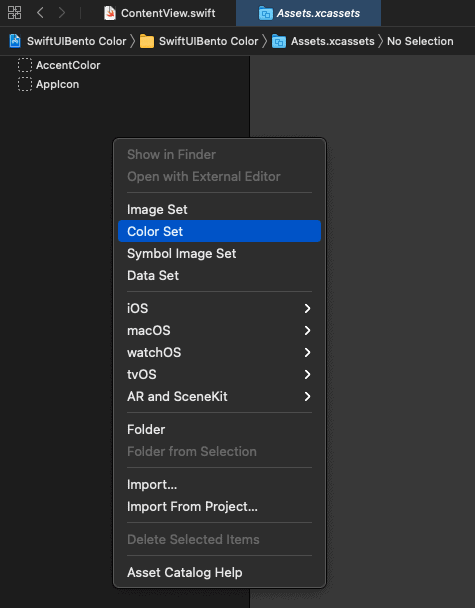
Add a color set by right clicking in the Assets.xcassets part of your project.
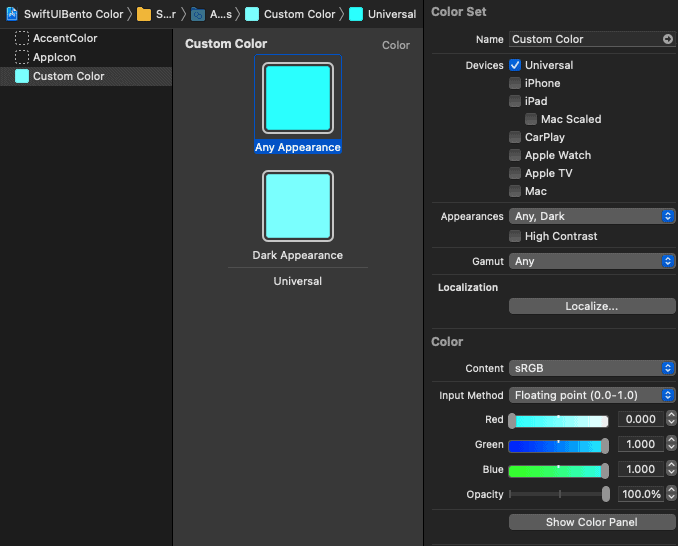
Modify the colors you want to use.